




Mailbutler is an email extension that integrates directly into your Apple Mail, Gmail and Outlook inbox. It provides you with a range of productivity features with the aim of making your inbox smarter. Our email software can help you better organize your inbox, communicate with clients and your team more effectively, and become more productive.
Your inbox, smarter.The email extension that adds useful features to your Outlook, Gmail, or Apple Mail inbox.

The email extension that adds useful features to your Outlook, Gmail, or Apple Mail inbox.
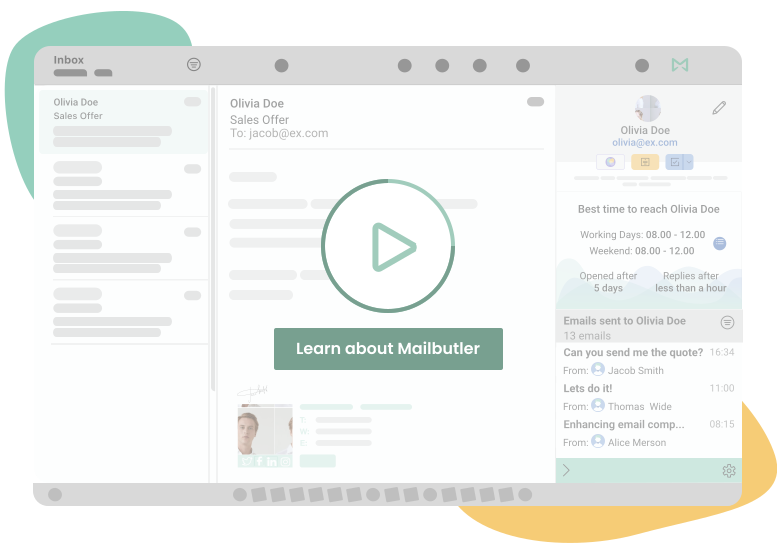
Enhance your inbox with these powerful features

Email Tracking
See when, how often, where, and on which device your emails were opened and your links were clicked.
read more
Smart Send Later
Schedule your emails to send at a different time, or let Mailbutler optimize the sending time for you.
read more
Email Signatures
Create and customize professional email signatures, or use our templates to save time.
read more
Tasks
Always remember to take action by adding automated tasks to your emails and contacts.
read more
Notes
Never forget anything you need to remember by adding informative notes to your emails and contacts.
read more
Email Templates
Create your own email message templates and insert them into your email in just a few clicks.
read more
Contacts
Get detailed insights into your contacts and manage them effectively to improve your customer relationships.
read more
Snooze
Temporarily hide emails from your inbox to improve communication and manage your inbox effectively.
read more
Collaborators
Collaborate on notes, tasks, contacts, templates and signatures with all your team members.
read more
Smart Assistant
An AI powered email assistant that can write, respond to, and summarize emails, improve spelling and grammar, and create tasks and contacts automatically.
read more
Tags
Add tags to emails, contacts, templates, signatures, notes and tasks to quickly organize your inbox.
read moreAn award-winning email extension that people love
Named an Industry Leader by GetApp, a High Performer by G2, and an Emerging Favorite by Capterra. Our high reviews reflect our dedication to providing a top-class service.



Loved by our customers around the globe

Chrome Web Store
4.4

Mac App Store
4.2

Microsoft AppSource
4.6

GetApp
4.8

G2
4.4

Capterra
4.8





Mailbutler allows me to glance over my inbox and see which emails need actioning, what’s still waiting to be opened by the recipient, and so much more. Without a doubt, I recommend Mailbutler. It’s revolutionized my inbox.
Without a doubt, I recommend Mailbutler. It’s revolutionized my inbox.

I love the fact that Mailbutler integrates with so many platforms. Whatever app you use to stay productive and organized, you can easily add Mailbutler to your workflow.
Whatever app you use to stay productive and organized, you can easily add Mailbutler to your workflow.

I am often a beta user of Mailbutler and I have found Mailbutler’s support team to be really helpful when I, for example, install the latest Mac beta. Mailbutler’s support feels personal and it’s what sets them apart from so many other companies.
Mailbutler’s support feels personal and it’s what sets them apart from so many other companies.

Nick Kyriakides
Founder of NK Films, Post-Production Artist, Freelancer of the year
Using an incredible tool like Mailbutler has really enabled me to enhance my workflow and connect with my clients much more effectively. I would highly recommend it for anyone who, like me, works with international clients or has a flexible schedule.
I would highly recommend Mailbutler for anyone who, like me, works with international clients or has a flexible schedule.
Don’t worry about privacy. Mailbutler is 100% compliant with European data regulations
We take privacy seriously and never share your data with third parties. And because our servers are located in the EU, you can rest assured that your data is handled in line with the strictest privacy and security regulations.
FAQs
What is Mailbutler?
Can I try out Mailbutler for free?
We offer a free trial for all our new users so you can test all Mailbutler features for 14 days. You don’t have to give any payment details on sign-up, meaning you can decide whether to start a subscription later.
Which email clients does Mailbutler support?
Mailbutler functions across all of the three most popular email clients: Gmail, Apple Mail and Outlook. We’ve worked hard to make sure all our features work cross-platform, so it doesn’t matter if you use one client and your colleagues another. Bear in mind we don’t support any Apple Mail versions older than macOS 10.13.
Is it easy to use Mailbutler?
It’s very easy to use Mailbutler! Mailbutler integrates seamlessly with Outlook, Gmail and Apple Mail. There’s no complicated set up process – it’s plug in and play. Register for an account, install the extension, and start using Mailbutler immediately.
Is Mailbutler secure?
Mailbutler is totally GDPR compliant and complies with all European data regulations. Our servers are located in Germany, and we don’t save or process any of the content of your emails. Any emails you send are still sent from your server. You can always customize what we save, and even choose that we save nothing at all. Read more about your privacy settings in our Support Center.
How can I get customer support?
We have a talented and dedicated customer support team which answers all queries 24/7. Our in-depth knowledge of our app means we’re never at a loss as to what the problem could be, and we always fix problems as quickly as possible. Message us at support@mailbutler.io. You can also head to our Support Center for more specific FAQs and tutorials on how to use Mailbutler, or watch our tutorial videos.
Can I get make suggestions for improvements to Mailbutler?
Yes, you can always suggest improvements to our extension. To adapt our app to the needs of our customers, we involve them in the development process. Do you have an idea for a new feature or is something not working how it should? Let us know on our Feature Requests page and your idea could be implemented in a future update.
Where is Mailbutler located?
While we’re based in Berlin, Germany ourselves, our users stem from all across the world.





It only takes 30 seconds to get started
It only takes 30 seconds to get started
Try for free